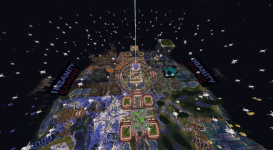



INSANITY GAMING — MEMBER COMMAND LIST
Server IP: mc.insanitygaming.net
26.1.2 Vanilla Minecraft Java Edition
ViaVersion currently up to 26.2
General
- /help — Open the Insanity Gaming help menu. -- broken lol

- /kit — View available kits.
- /kit newbie — Claim the starter kit. Refreshes every 48 hours.
- /spawn — Return to server spawn.
- /tips — Enable or disable gameplay tips.
- /vote — Open the server voting links.
Warps
- /warp casino — Casino.
- /warp dungeon — Dungeon area.
- /warp forge — Forge area.
- /warp tavern — Tavern.
- /warp vote — Voting area. -- same area as the casino btw
Homes
- /sethome [name] — Save your current location as a home.
- /home [name] — Teleport to a saved home.
- /homes — View your saved homes.
- /removehome <name> — Delete a saved home.
Player Teleports
- /tpa <player> — Request to teleport to another player.
- /tpaccept — Accept a teleport request.
- /tpdeny — Deny a teleport request.
Private Messages
- /msg <player> <message> — Send a private message.
- /reply <message> — Reply to your latest private conversation.
Homestead / Claims
Use the namespaced Homestead commands shown below. Plain /region can conflict with another server plugin.
- /claim — Claim the chunk you are standing in.
- /unclaim — Remove the current claimed chunk.
- /homestead:region menu — Open Homestead controls.
- /homestead:region trust <player> — Invite a player to your Homestead.
- /homestead:region accept <region> — Accept a Homestead invitation.
- /homestead:region deny <region> — Deny a Homestead invitation.
- /homestead:region members — View trusted members.
- /homestead:region untrust <player> — Remove a trusted member.
- /homestead:region flags — Manage protection flags.
- /homestead:region claimlist — View your claimed chunks.
Forge & Gear
- /forge — Open the Forge and upgrade official gear.
- /wizard — Apply or remove runes.
- /igforge identify — Inspect the official gear you are holding.
- /igforge repair — Repair held official gear.
- /igforge addons — Manage/remove installed add-ons.
- /igforge power — View your combat progression.
- /igforge claims — View your permanent Claim Power and chunk allowance.
- /igforge help — View IGForge commands.
- /igforge rules — Open Rules & Safety.
Player Guides
- /igforge guide — Open the complete Player Guide Library.
- /igforge guide first — First Day guide.
- /igforge guide world — World & Progression guide.
- /igforge guide forge — Forge & Gear guide.
- /igforge guide rules — Rules & Safety.
- /igforge guide commands — Command Handbook.
- /igforge guide hellz — Hellz & Endgame guide.
Cosmetics
- /cosmetics — Open your cosmetic wardrobe.
Cosmetics are visual only and do not provide combat stats, flight, or storage.
Skills / AuraSkills
- /skills — Open the RPG skill menu.
- /stats — View your RPG stats.
- /sk sources <skill> — View ways to earn XP for a skill.
- /skillrank — View your skill ranking.
- /skilltop — View server skill leaderboards.
- /mana — View your current mana.
- /abtoggle — Toggle the skill action bar.
- /sk claimitems — Claim pending skill reward items.
- /sk help — AuraSkills help.
- /sk lang [language] — Change your AuraSkills language.
Combat Dash
- /igcombat controls — View dash controls.
- /igcombat status — View your dash status.
- /igcombat toggle — Enable or disable your personal dash.
- /igcombat info — View information about the dash system.
Eligible melee weapons can dash by double right-clicking, with movement keys controlling direction.(default is backwards)
Parties
- /party — View your current party.
- /party invite <player> — Invite a player and create a party if needed.
- /party join — Accept your latest party invitation.
- /party leave — Leave your party.
- /party givelead <player> — Transfer party leadership.
- /party kick <player> — Remove a player from your party.
- /party disband — Disband the party as leader.
Hellz Dungeon
- /md play Hellz — Party leader starts a Hellz run and selects an available difficulty.
- /ready — Confirm that you are ready to enter.
- /md leave — Leave/extract from the current dungeon run.
- /md stuck -- Brings to last checkpoint so you can extract safely when in a pinch or if actually stuck
Voting
- /vote — Open all current vote links.
- /cmi votes — View your vote count.
- /cmi votetop — View the top voters.